A lot has happened over the last half year. I haven’t had enough time to focus on consistently posting updates, so now I’m going to blast out everything that’s new.
First, here are the topics that the updates will touch on:
- GOAP - Goal Oriented Action Planning
- Custom overriden controls for AI
- NavMesh Path
- Dialogue editor reskin
GOAP
Pala and I spent some time thinking about how we wanted to approach the "artificial dumbness" of NPCs and world objects. We looked into similar games, studied the historical annals, and came to the conclusion that while GOAP might sound like overkill ("using a cannon to shoot a sparrow") for an isometric platformer, it’s actually a great fit for our needs. It allows us to create truly smart and responsive enemies that feel like they live and react naturally in the game world.
For those of you not familiar with the concept of GOAP1, check out this article by a true GOAP enthusiast.
I took on the task of implementing GOAP myself, and thanks to Iain McManus’ excellent tutorials2, I built a basic architecture that I then deconstructed, customized, and enhanced into the form we now have. An NPC can be assigned various defined goals and, using a set of defined actions, figures out how to fulfill them. This lets it respond to dynamic environmental conditions, perform routine tasks, or just idle around.
At this stage of development, we still don’t have enough assets to show off a nice demonstration, so I’ll skip the video for now—but you can expect one in the coming months.
Custom overriden controls for AI
Pala introduced sophisticated controls for the player’s X-axis movement. These controls were then reused and overridden for NPCs, and are now directly integrated into the GOAP system. Thanks to that, NPC movement feels more natural and authentic.
Navmesh Path
Unity includes a framework for building navigation meshes, which are used by so-called NavMesh Agents. These agents, provided by Unity, can move around based on parameters like size, speed, slope, etc., across the navmesh that you can generate over scene objects.
For our needs, I didn’t use the full capabilities of the agent—I only used the already-calculated waypoint path to move the NPCs through space. The NPC then uses this path and feeds inputs into its movement controller accordingly.
The biggest challenge for me was handling transitions between buildings. For example, the player might be walking down a hallway, press the interact key, and enter a room that—in terms of the scene—is located at completely different coordinates. The player’s object is then teleported to this distant platform. In these cases, I used a NavMesh Link.
Dialogue Editor Re-Vamp
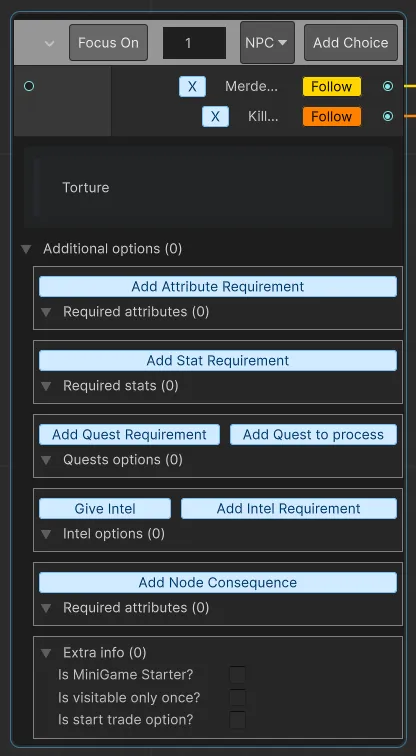
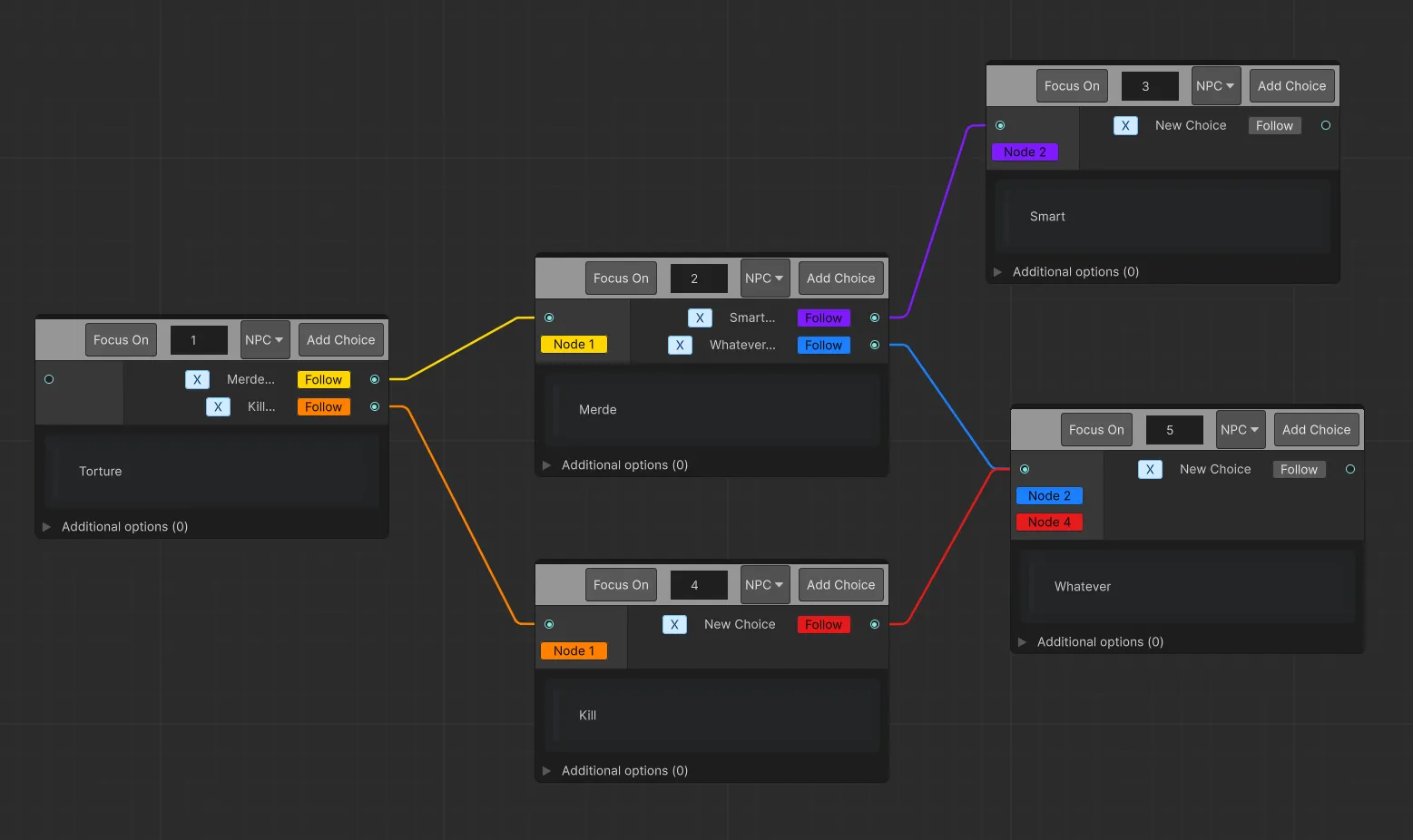
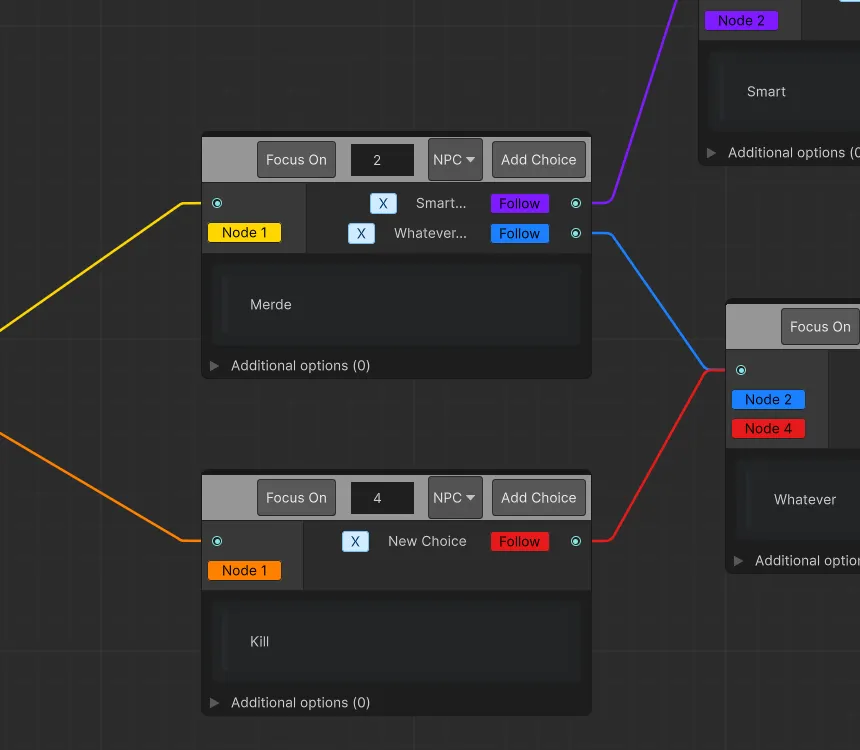
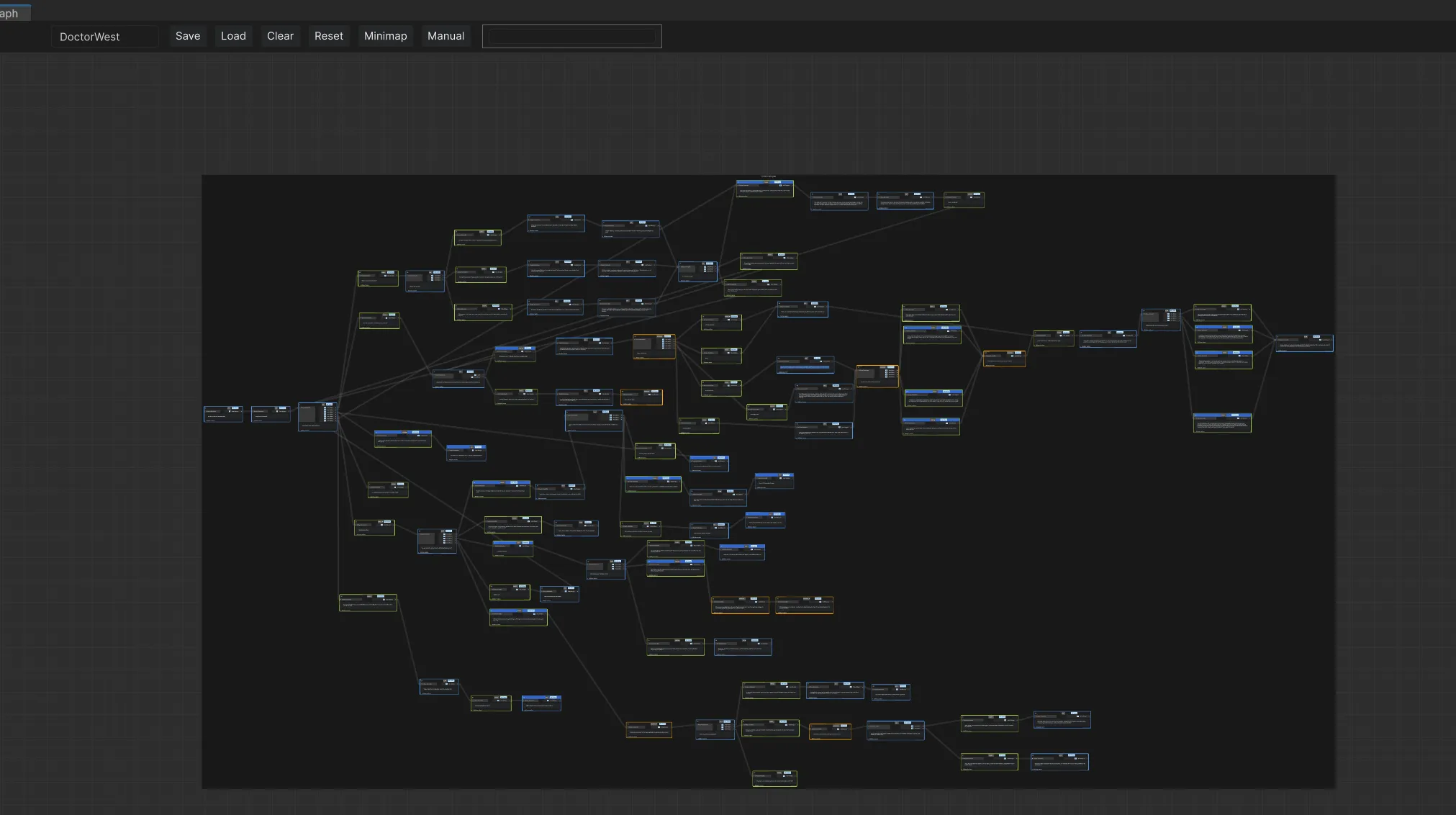
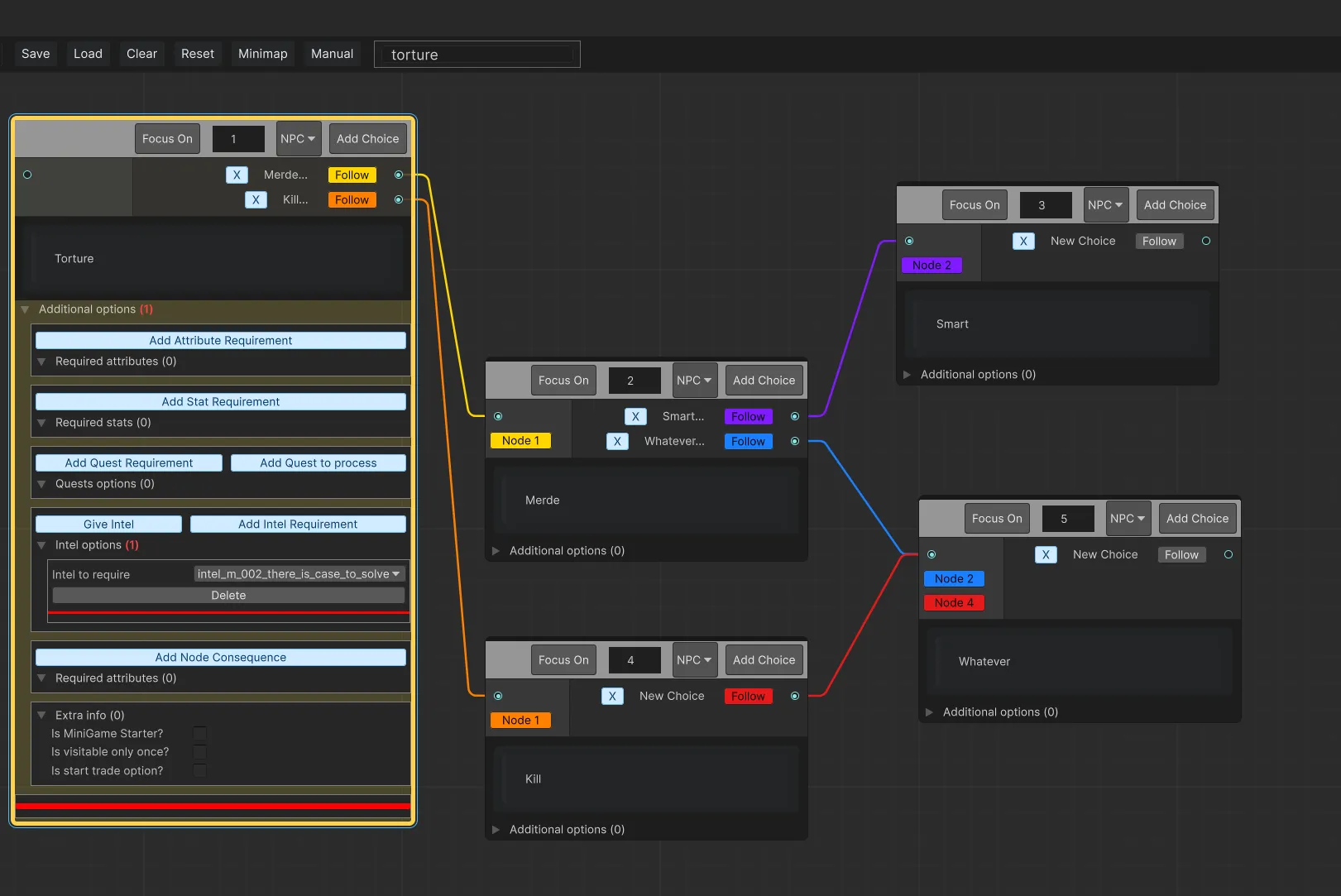
The last month I dedicated to a complete rework of the dialogue system. I wanted to simplify it for use and make it so that as much information as possible could be read visually—without having to actually read every node. And I think I managed to do that pretty well. Here’s a short summary of what’s new in the Dialogue Editor:
-
Updated and improved the overall UI for better readability, usability, and visual clarity.
-
Simplified node creation: all nodes are now created as MultipleChoice by default. The actual dialogue type (Single/Multiple) is determined automatically based on the number of choices.
-
Implemented a flexible search field in the editor, which supports searching by node name and dialogue text, wildcards: word for exact match, word for ends with, word for starts with or *word* or combined usage for contains, Pressing Enter twice in the search field focuses the view on the matching node
-
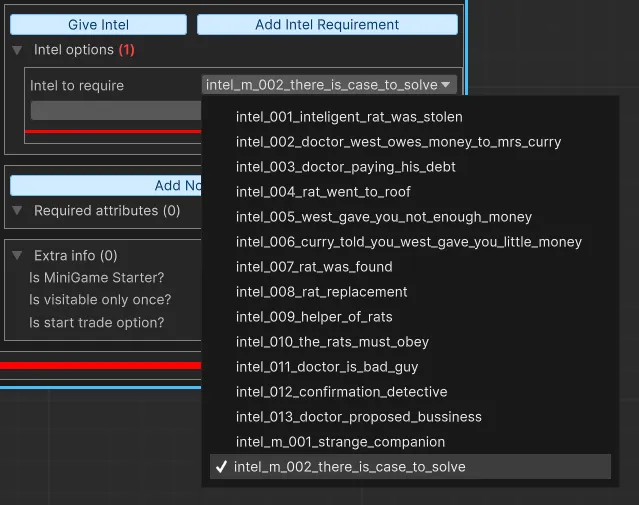
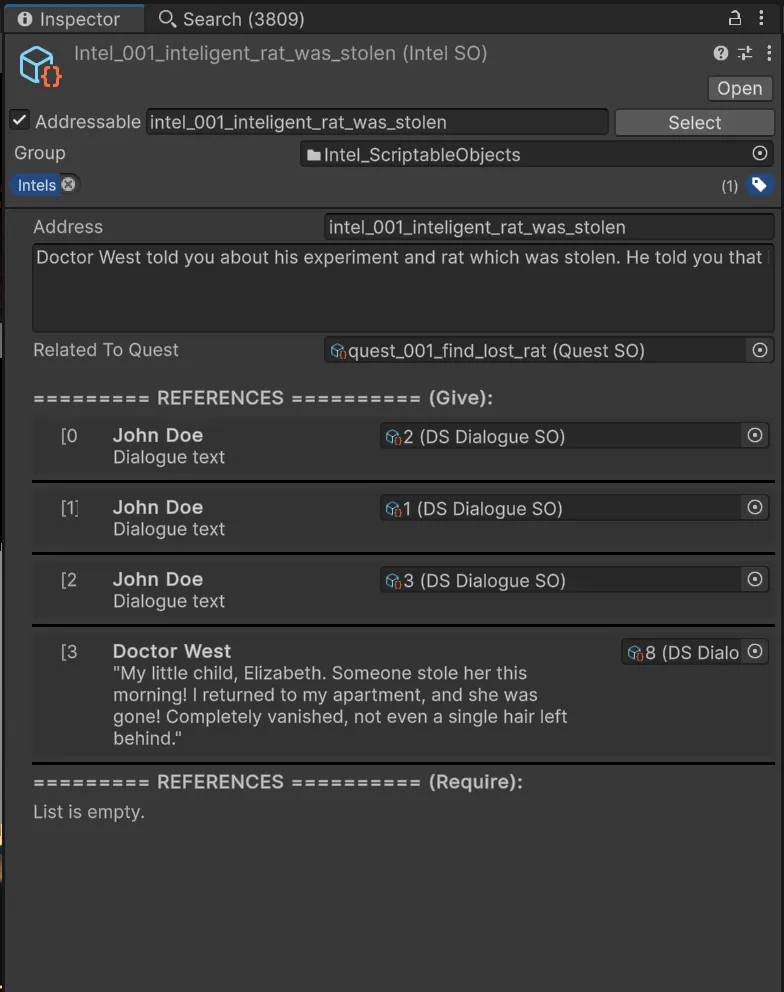
ScriptableObject fields (Quests, Intels, etc.) are now assigned via direct dropdown selection instead of manual string input for ScriptableObject adress, reducing human error.
-
Now every ScriptableObject can be assign in dialogue editor via direct reference from pop-up field.
Take a look at pictures.
I mentioned that we’ve transitioned from pure 2D to 3D models to speed up development. In terms of clearly visible game content, we haven’t added much yet. But what we *have* added is a ton of game systems. Pala developed a movement system along a single rail, with the possibility to switch tracks occasionally—like when going up stairs. See Video 1. In Video 1 you can also get a good look at how Pala revamped the gameplay interface. Even though it’s still a work-in-progress, most of the functionality is already in place.